OpenCAGE 1.0 gives Alien: Isolation modders the ability to build complete custom levels, alongside a new mod manager and tools for editing the game while it runs. The community toolkit’s first non-beta version follows years of work expanding access to the game’s scripts, configuration and assets.
The milestone is broader than a texture-replacement utility. The Steam description includes custom missions, characters, weapons, modes and maps, with editing and import/export support for models, materials, sound, animation and UI. OpenCAGE is available free, while its purpose is to modify Alien: Isolation rather than supply a separate commercial campaign.
Building a level means building its behavior
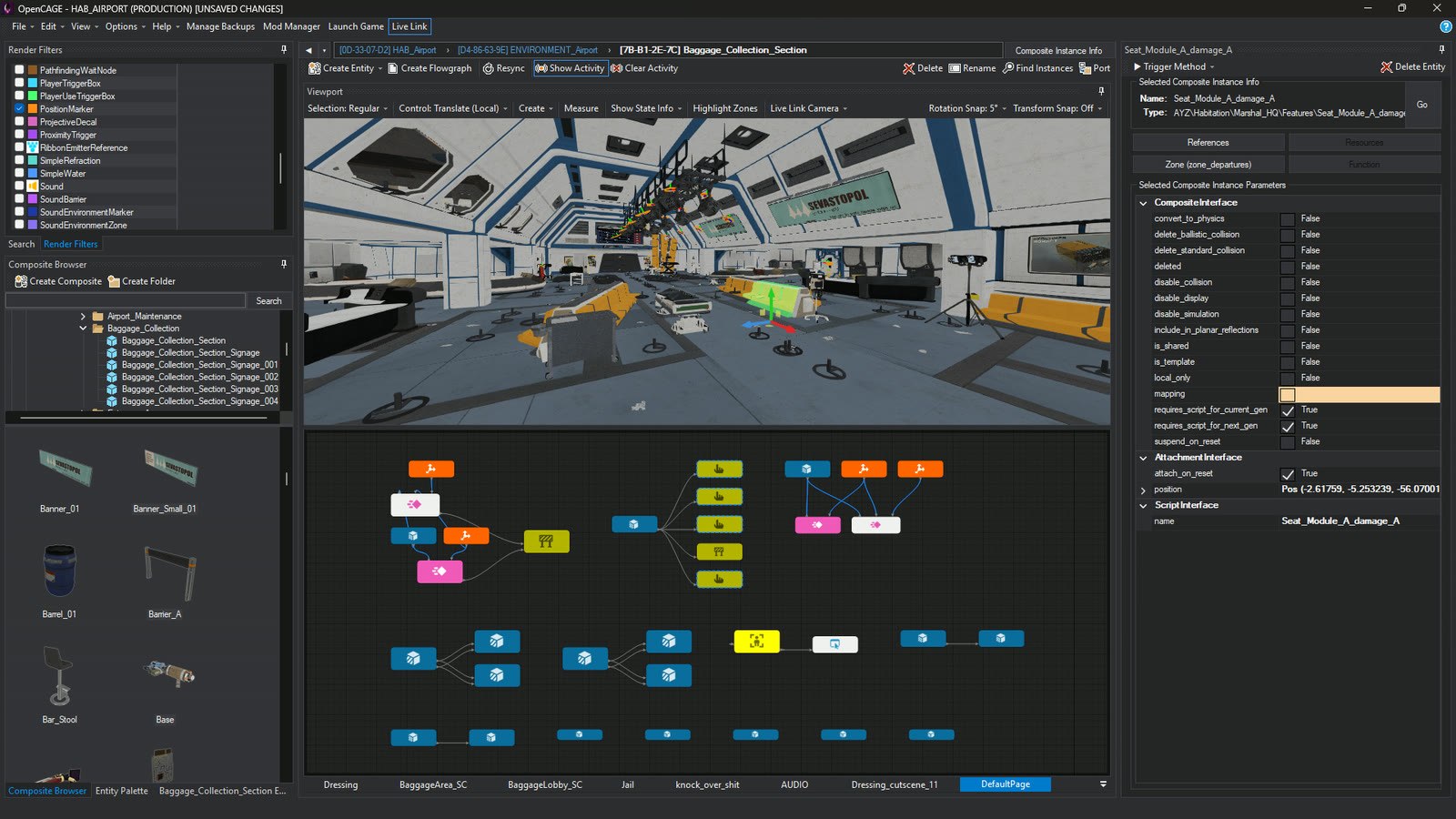
The project’s documentation overview describes a 3D viewport for opening levels, selecting objects and moving them with editing controls. Objects can be connected to the underlying scripts, which are presented as flowgraphs rather than requiring every change to be made in raw configuration text.
A new level can be assembled from existing composites or imported geometry. The Save and Build process generates supporting data such as lighting, collision, navigation, cover and sound. Those elements matter because a visible room is only part of a playable encounter: characters also need routes through it, and the game needs to know how objects and sounds behave there.
The toolkit exposes behavior trees for the alien, androids and humans as well. Together with script editing, that opens up changes to how a scenario works rather than only how it looks. It does not mean a finished new story appears automatically; the author still has to construct, test and package it.
Live Link shortens the edit-and-test loop
The version 1.0 notes describe Live Link connecting the editor to a running game. Moving props, changing lights or adjusting supported scripts can update the scene without a complete reload. Script activity can be displayed, and breakpoints let an author pause at a particular part of a script and step through its behavior.
That is especially useful when a problem depends on a chain of events. Instead of repeatedly replaying a long approach to a broken trigger, an author can inspect which connections fired and test methods directly. The release identifies support for the Steam, GOG and Epic Games Store editions in this workflow.
The new debug menu supplies views of character awareness, navigation and performance, while cinematic tools are integrated into that menu. Animation and sound import/export also expand the kinds of changes that can be developed inside the same toolkit.
Sharing is part of the release
The mod manager lets creators select the components included in a package, rather than distributing an entire modified installation. Players can install packages, update or remove them, and return changes to the original state. The release also describes conflict handling for multiple installed mods.
For someone who only wants to play community creations, that packaging layer is the most immediate counterpart to the new editor features. Authors gain a larger set of tools, while players gain a defined way to receive their work. The project’s site links the download and documentation together, including separate guides for creating a level, building it and distributing the resulting mod.
Have a correction or a useful perspective?
Get in touch with the publication.